Когда Claude Sonnet 4.5 вышел в сентябре 2025 года, он сломал множество существующих промптов. Не потому что релиз был багнутый, а потому что Anthropic перестроили то, как Клод следует инструкциям.
Более ранние версии предполагали ваши намерения и развивали расплывчатые запросы. Claude 4.x воспринимает вас буквально и делает именно то, о чём вы просите, и ничего сверх того.
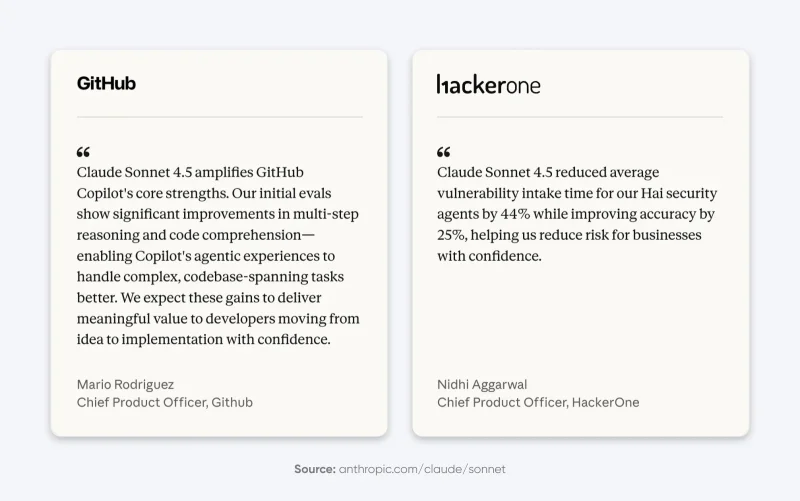
Чтобы понять новые методы, мы оценили 25 популярных техник инженерии промптов на основе документации Anthropic, экспериментов сообщества и реальных внедрений, чтобы выяснить, какие промпты действительно лучше работают с Claude 4.x. Эти пять техник
Что изменилось в Claude 4.5, что сломало существующие промпты?
Модели Claude 4.5 отдают приоритет точным инструкциям, а не «полезным» догадкам.
Предыдущие версии заполняли пробелы за вас. Если вы просили «дашборд», они предполагали, что вам нужны графики, фильтры и таблицы данных.
Claude 4.5 воспринимает вас буквально. Если вы попросите дашборд, он может дать вам пустой фрейм с заголовком, потому что вы не попросили об остальном.
Anthropic чётко заявляет: «Клиентам, желающим поведения „сверх ожидаемого“, возможно, придётся более явно запрашивать это поведение».
Таким образом, нам нужно перестать относиться к модели как к волшебной палочке и начать относиться к ней как к буквально мыслящему сотруднику.
5 проверенных техник, которые измеримо улучшают производительность Claude
Согласно нашему исследованию, эти пять техник последовательно давали заметные улучшения в производительности Claude для поставленных перед ним задач.
1. Структурированные и помеченные промпты
Системный промпт Claude Sonnet 4.5 повсеместно использует структурированные промпты. Саймон Уиллисон изучил системные промпты и обнаружил секции, обёрнутые в теги вроде <behavior_instructions>, <artifacts_info> и <knowledge_cutoff>.
Фактически, вы можете отредактировать «Стили», чтобы увидеть структурированные промпты Anthropic в действии.
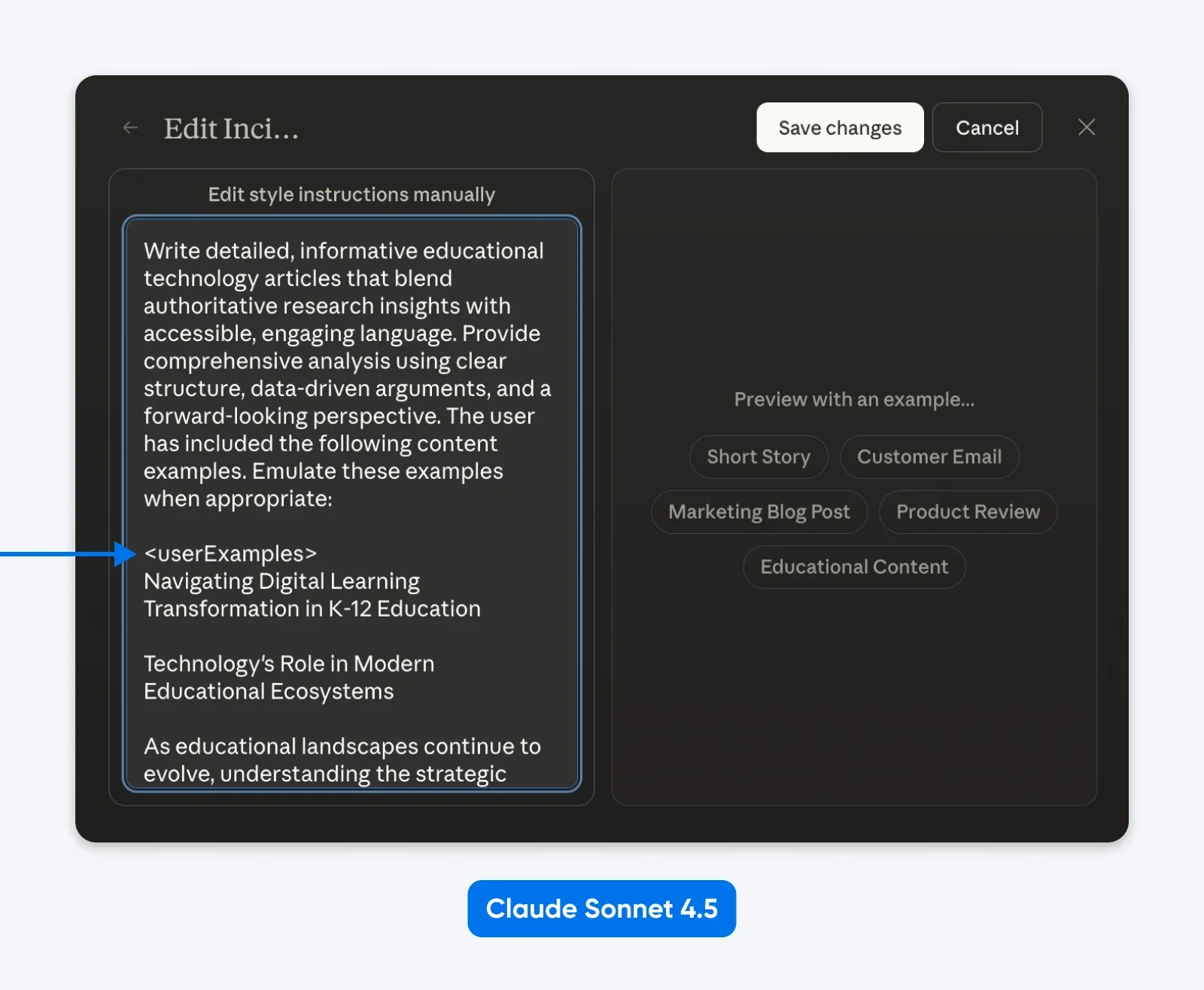
Что мы можем предположить: Клод обучался на структурированных промптах и знает, как их разбирать. XML работает отлично, так же как JSON или другие помеченные промпты.
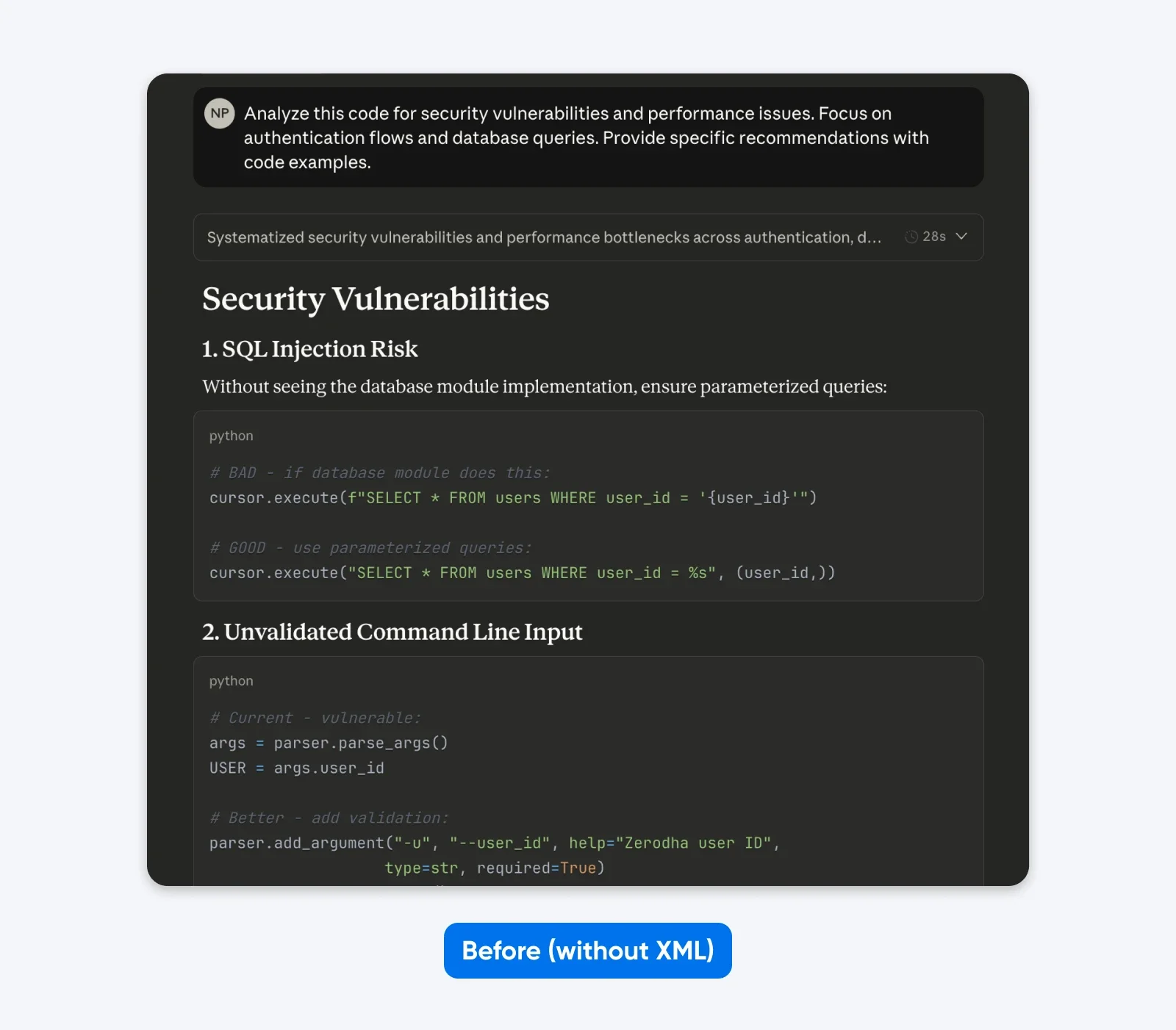
До:
Проанализируйте этот код на уязвимости безопасности и проблемы с производительностью. Сосредоточьтесь на процессах аутентификации и запросах к базе данных. Предоставьте конкретные рекомендации с примерами кода.
После (структурированный промпт):
<task>Проанализируйте предоставленный код на проблемы безопасности и производительности</task>
<focus_areas>
– Процессы аутентификации
– Оптимизация запросов к базе данных
</focus_areas>
<code>
[ваш код здесь]
</code>
<output_requirements>
– Выявите конкретные уязвимости с оценкой серьёзности
– Предоставьте исправленные примеры кода
– Расставьте приоритеты рекомендаций по влиянию на бизнес
</output_requirements>
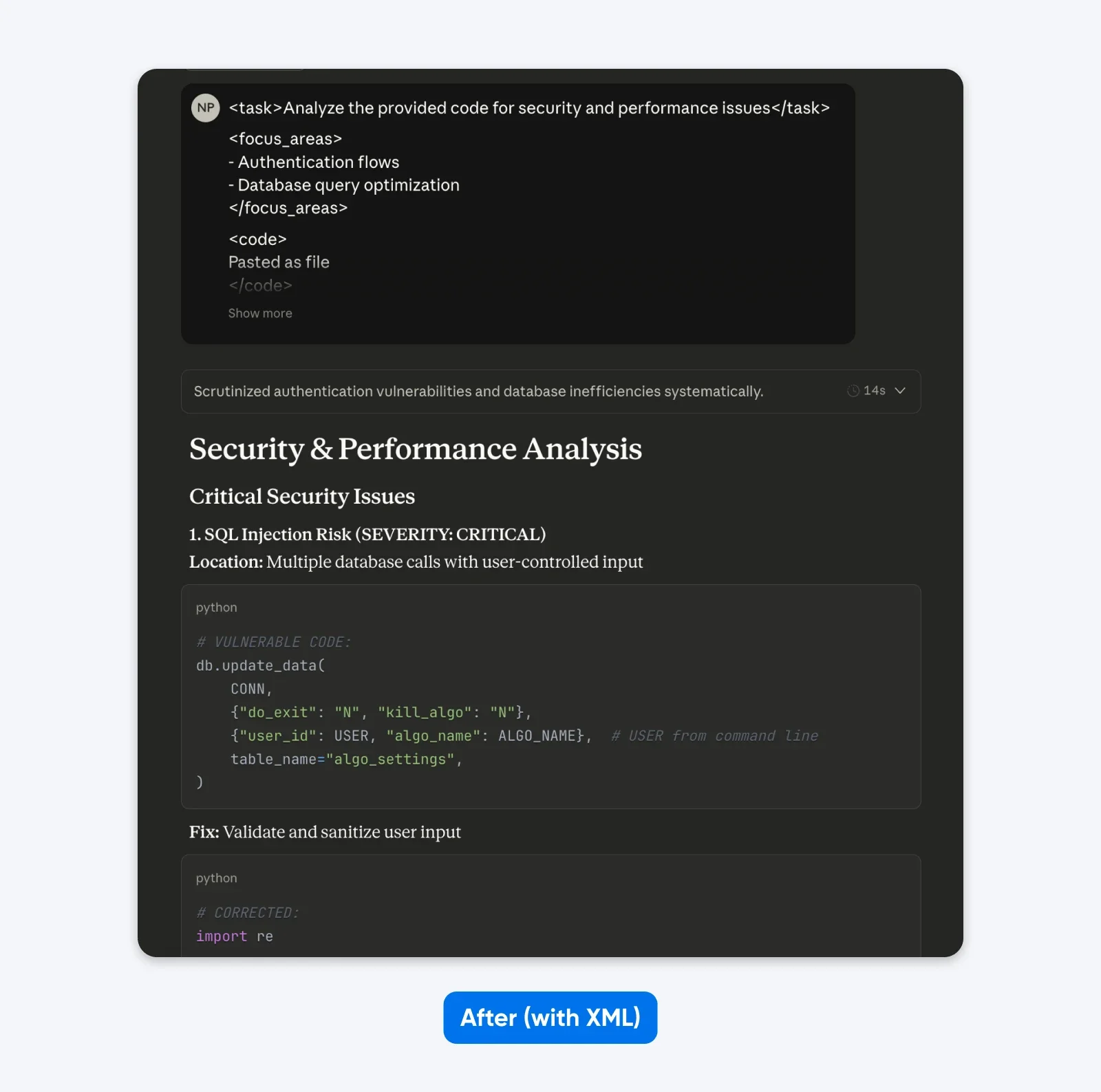
Если сравнить эти результаты, то можно заметить, что структурированный промпт даёт вывод с большим контекстом, чтобы помочь вам понять и исправить проблемы безопасности в коде. Он объясняет проблему, рассказывает, что делает исправление, а затем предоставляет исправленный код.
Альтернативные форматы, которые работают:
JSON:
{
"task": "Review authentication code",
"focus_areas": ["Password hashing", "Session security", "SQL injection"],
"context": "Healthcare app, HIPAA required",
"output_format": "Risk, impact, fix, severity per vulnerability"
}
Чёткие заголовки:
TASK: Проанализировать код аутентификации на уязвимости
FOCUS: Хеширование паролей, сессии, SQL-инъекции
CONTEXT: Медицинское приложение, требующее соответствия HIPAA
OUTPUT FORMAT: Риск → Влияние на HIPAA → Исправление → Серьёзность
Все три работают одинаково хорошо.
Когда структурированные промпты работают лучше всего:
- Множество компонентов промпта (задача, контекст, примеры, требования)
- Длинные входные данные (10 000+ токенов кода или документов)
- Последовательные рабочие процессы с отдельными шагами
- Задачи, требующие многократной ссылки на определённые разделы
Когда пропускать структурированные промпты: Простые вопросы, где достаточно обычного текста.
Оценка эффективности: 9/10 для сложных задач, 5/10 для простых запросов.
2. Расширенное мышление для сложных проблем
Расширенное мышление даёт огромный прирост в производительности на сложных логических задачах, но с одной крупной компенсацией: скоростью.
Анонс Claude 4 от Anthropic показал существенный прирост производительности при включённом расширенном мышлении. На математическом соревновании AIME 2025 оценки значительно улучшились.
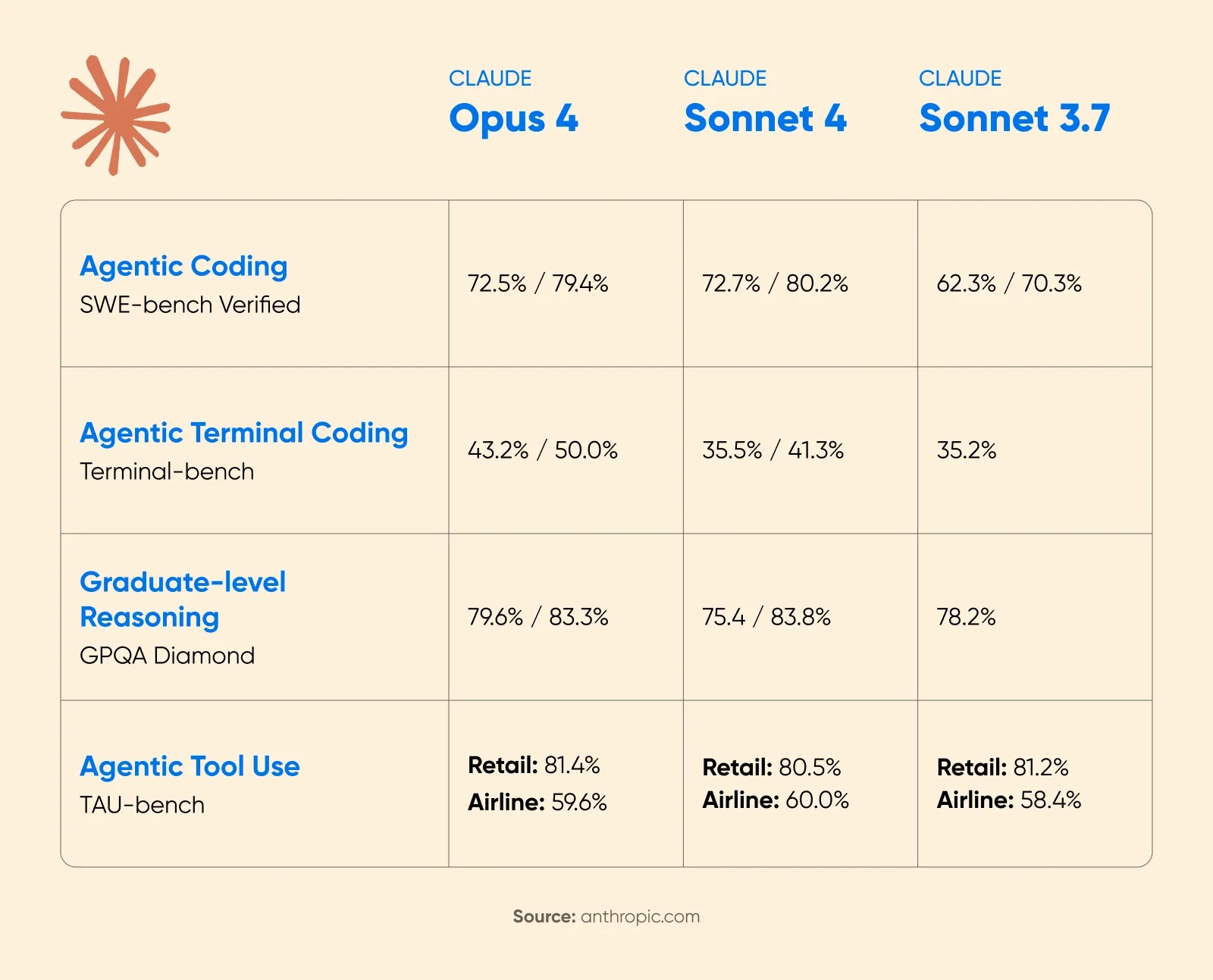
Cognition AI сообщили о росте на 18% в производительности планирования с Sonnet 4.5, назвав это «самым большим скачком со времён Claude Sonnet 3.6».
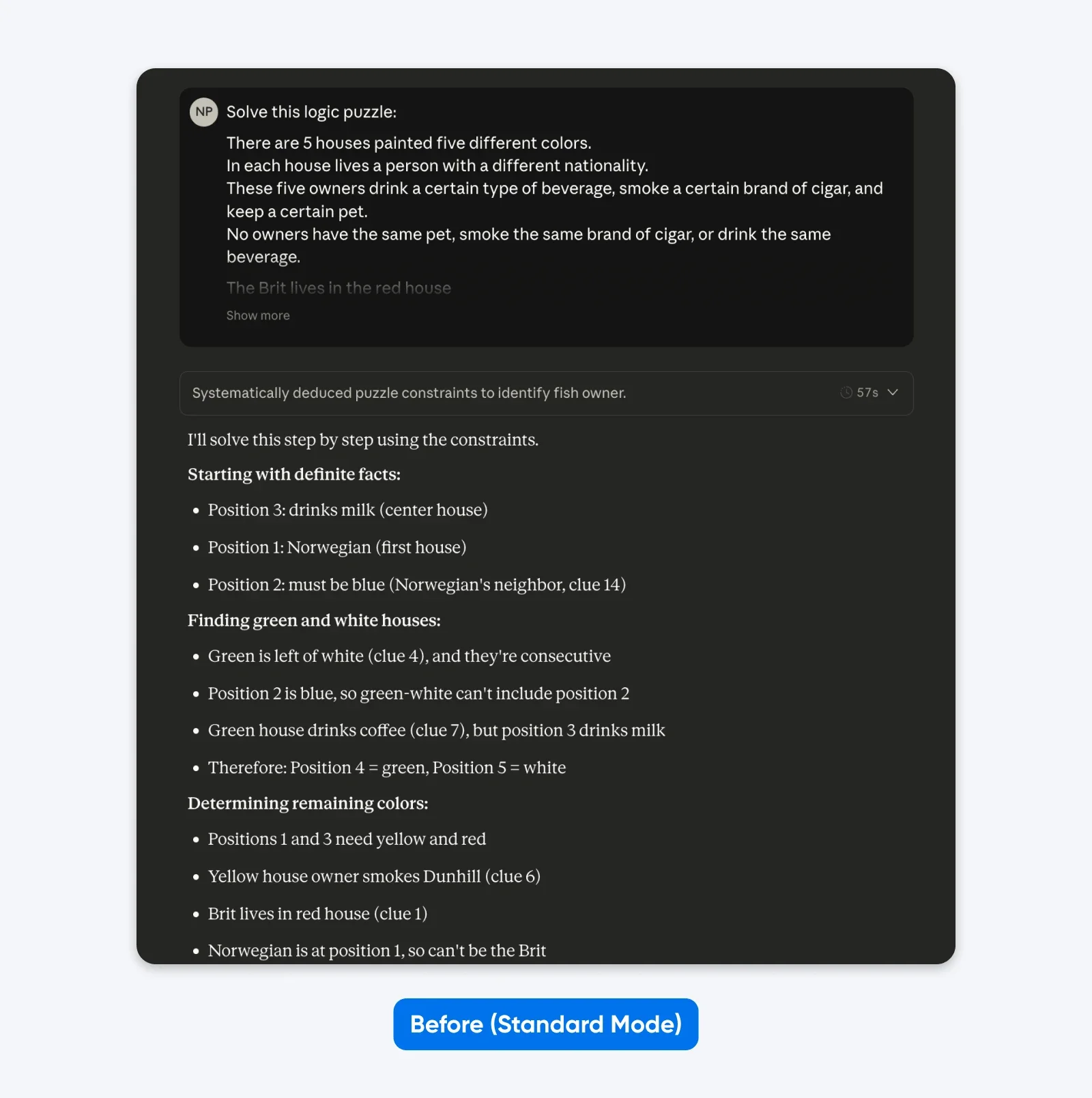
До (Стандартный режим):
Решите эту логическую головоломку: Пять домов в ряд, каждый разного цвета…
После (с Расширенным мышлением):
Поймите логику этой головоломки систематически. Пройдитесь по ограничениям шаг за шагом, проверяя каждую возможность, прежде чем делать выводы.
Пять домов в ряд, каждый разного цвета…
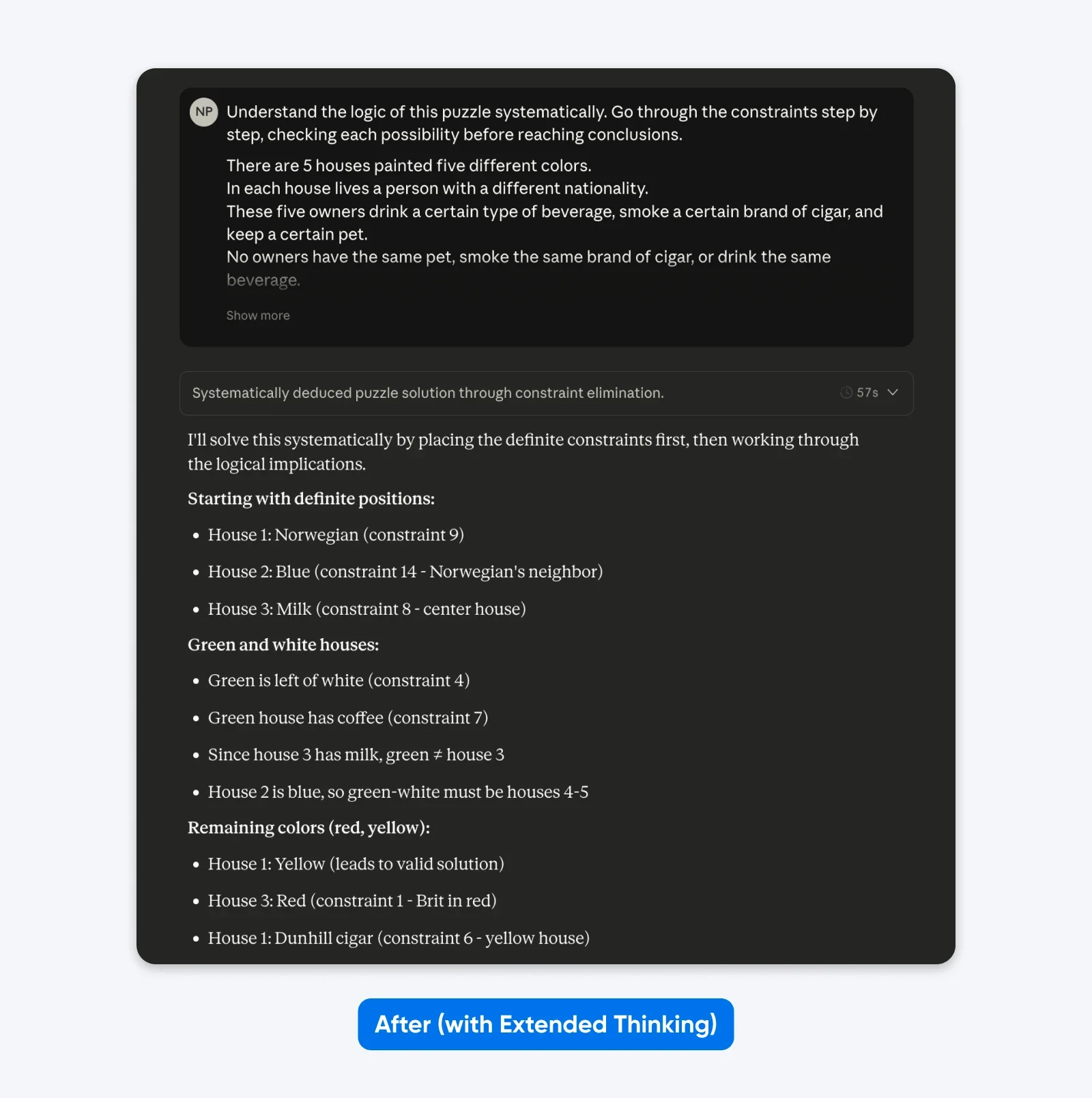
Вы не увидите большой разницы с простыми промптами, как в примере выше. Но для сложных, узкоспециальных проблем (пользовательские кодовые базы, многошаговое логическое планирование) разница становится очевидной.
Когда расширенное мышление работает:
- Многошаговое логическое планирование, требующее проверки
- Математические рассуждения с несколькими путями решения
- Сложные задачи по программированию, затрагивающие несколько файлов
- Ситуации, где правильность важнее скорости
Когда пропускать: Быстрые итерации, простые запросы, творческое письмо, срочные задачи.
Оценка эффективности: 10/10 для сложных рассуждений, 3/10 для простых запросов.
3. Будьте безжалостно конкретны в требованиях
Модели Claude 4 были обучены более точному следованию инструкциям по сравнению с предыдущими поколениями.
Документация Anthropic гласит:
«Модели Claude 4.x хорошо реагируют на чёткие, явные инструкции. Указание конкретных деталей желаемого результата может помочь улучшить результаты. Клиентам, желающим поведения „сверх ожидаемого“ от предыдущих моделей Claude, возможно, придётся более явно запрашивать это поведение у новых моделей».
В документации также отмечается, что Claude достаточно умен, чтобы обобщать из объяснений, когда вы предоставляете контекст о том, почему правила существуют, а не просто излагаете команды. Это означает, что предоставление обоснования помогает модели правильно применять принципы в пограничных случаях, которые явно не описаны.
Testing by 16x Eval showed that both Opus 4 and Sonnet 4 scored 9.5/10 on TODO tasks when instructions clearly specified requirements, format, and success criteria. The models demonstrated impressive conciseness and instruction-following capabilities.
Before (implicit expectations):
Create an analytics dashboard.
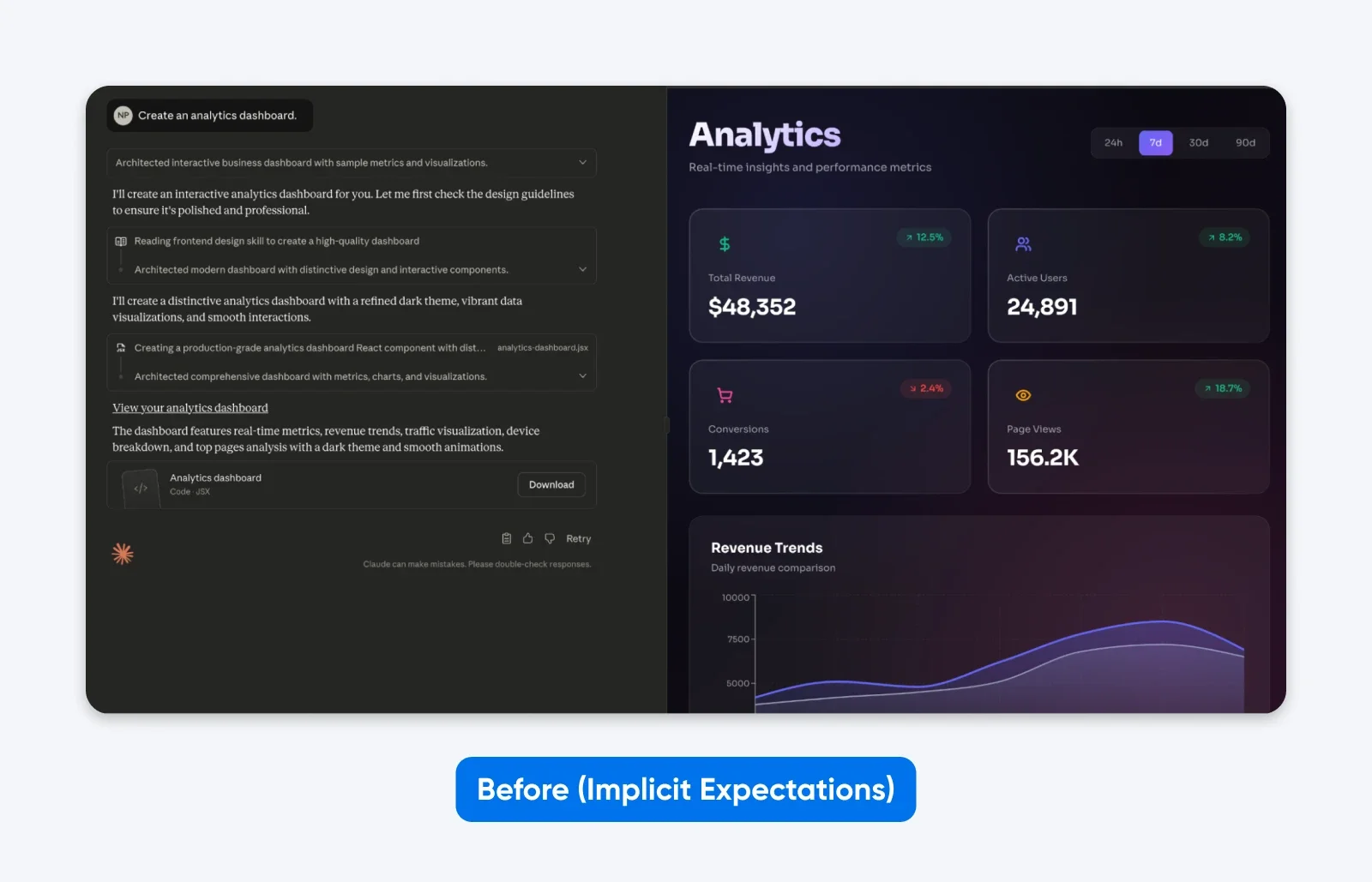
You’ll notice how this output is EXACTLY what we asked for. While Claude took a little bit of creative freedom in the aesthetics, it has no functionality.
After (explicit requirements):
Create an analytics dashboard. Include as many relevant features and interactions as possible. Go beyond the basics to create a fully-featured implementation with data visualization, filtering capabilities, and export functions.
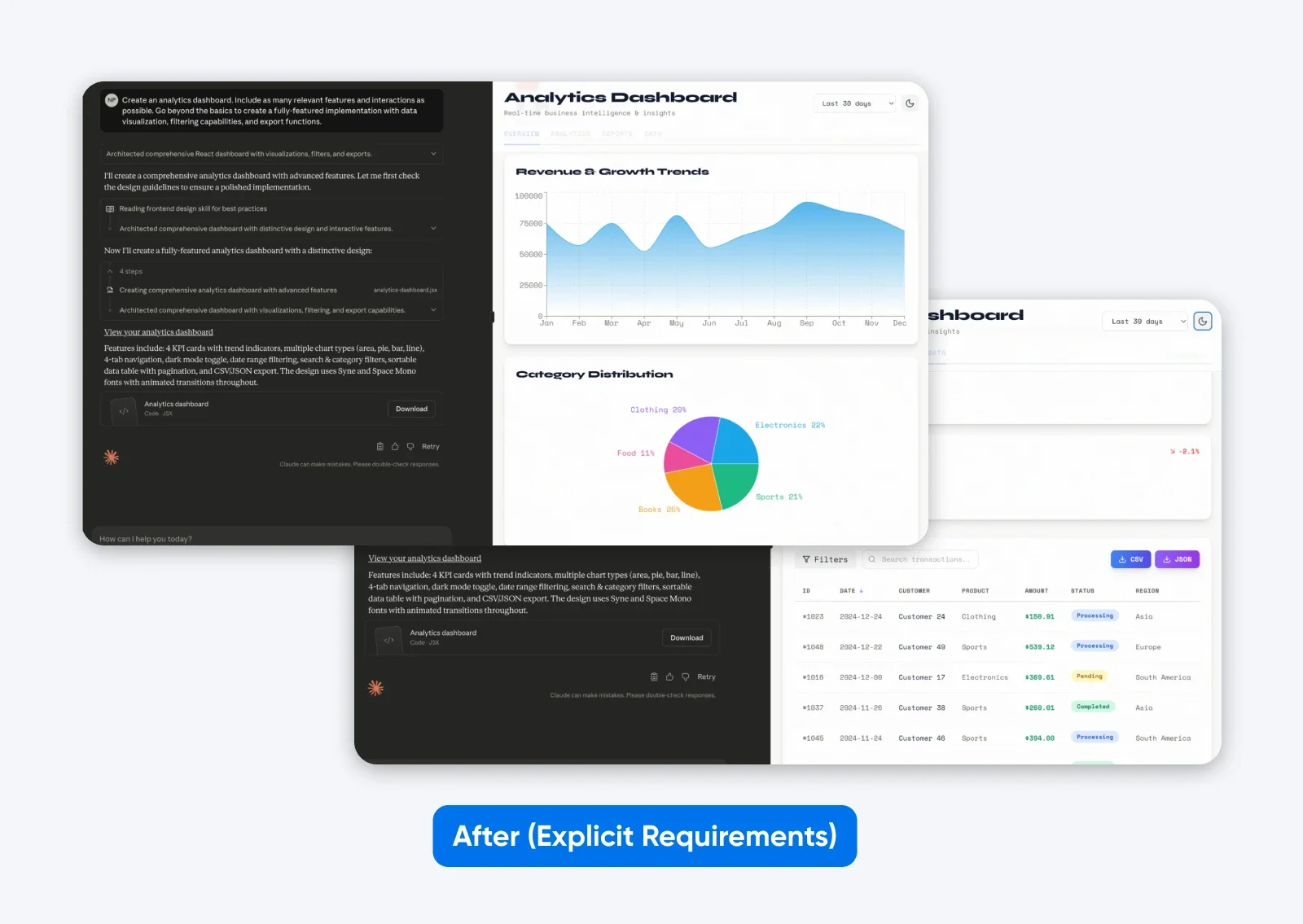
This second output with a more descriptive prompt has more features, a dashboard built on some dummy data, which is both presented graphically and in a tabular format, and it has tabs to separate all the data.
That’s what being specific does with the latest Claude.
To clarify this point even further, here’s another example showing how context improves instruction-following:
Before (command without context):
NEVER use ellipses in your response.
After (context-motivated instruction):
Your response will be read aloud by a text-to-speech engine, so avoid ellipses since the engine won’t know how to pronounce them.
Key principles for explicit instructions:
- Define what “comprehensive” means for your specific task: Don’t assume Claude will infer quality standards.
- Explain why rules exist rather than just stating them: Claude generalizes better from motivated instructions.
- Specify the output format explicitly: Request “prose paragraphs” instead of hoping Claude won’t default to bullet points.
- Provide concrete success criteria: What does task completion look like?
Effectiveness rating: 9/10 across all task types.
4. Show Examples of What You Want
Few-shot prompting provides Claude with example inputs and outputs demonstrating the desired behavior. This works, but only when examples are high quality and task-appropriate, and the impact varies dramatically by use case.
Anthropic’s official guidance emphasizes:
“Claude 4.x models pay close attention to details and examples as part of their precise instruction following. Ensure your examples align with behaviors you want to encourage and minimize behaviors you want to avoid.”
Anthropic recommends 3-5 diverse, relevant examples for complex tasks. More examples equals better performance.
Here’s an example of what that looks like in practice:
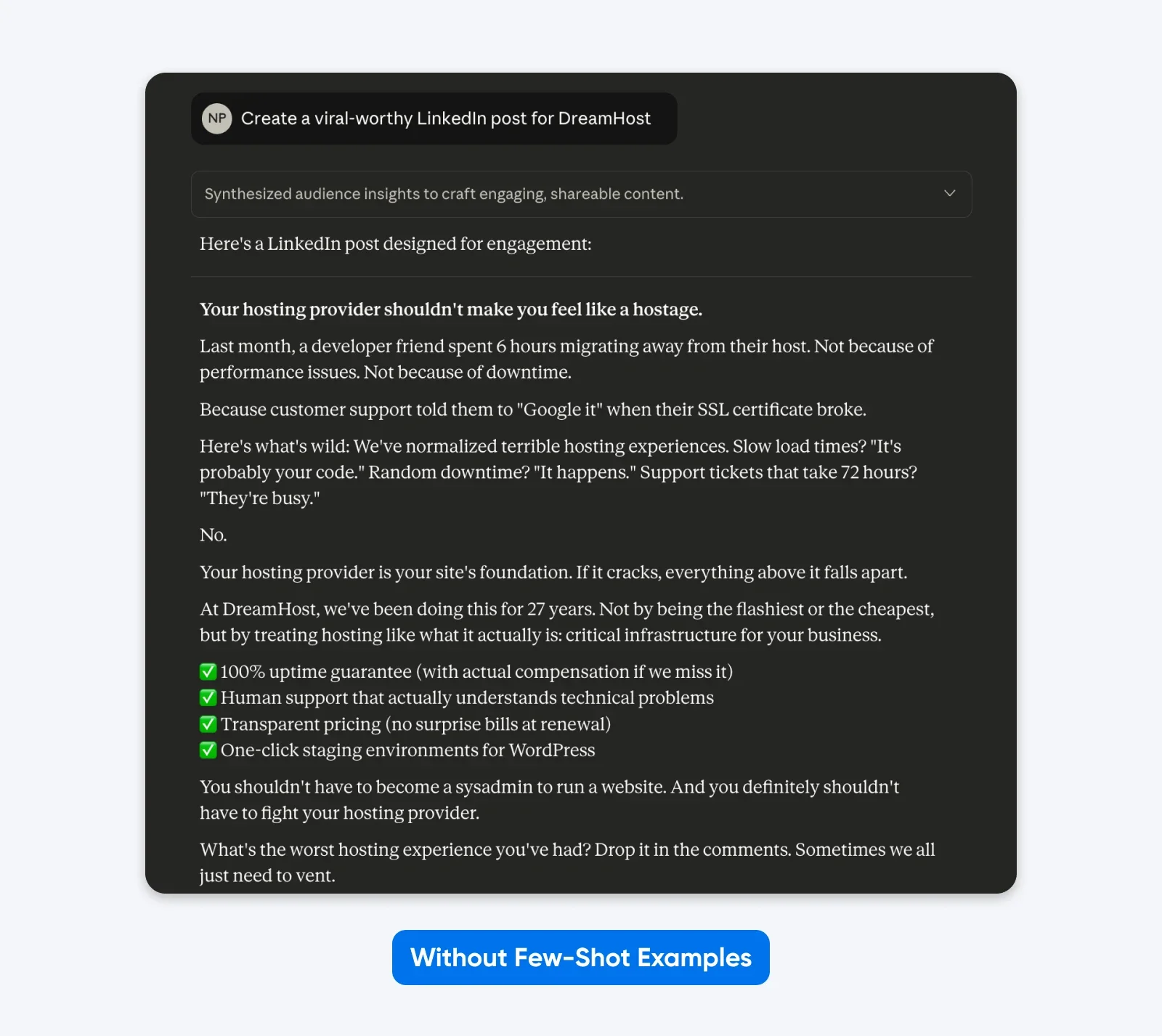
Here, Claude took creative freedom with format, emoji usage, messaging, and tone. Generic corporate speak
Adding examples works because they show rather than tell, while clarifying the subtle requirements that are difficult to express through description alone.
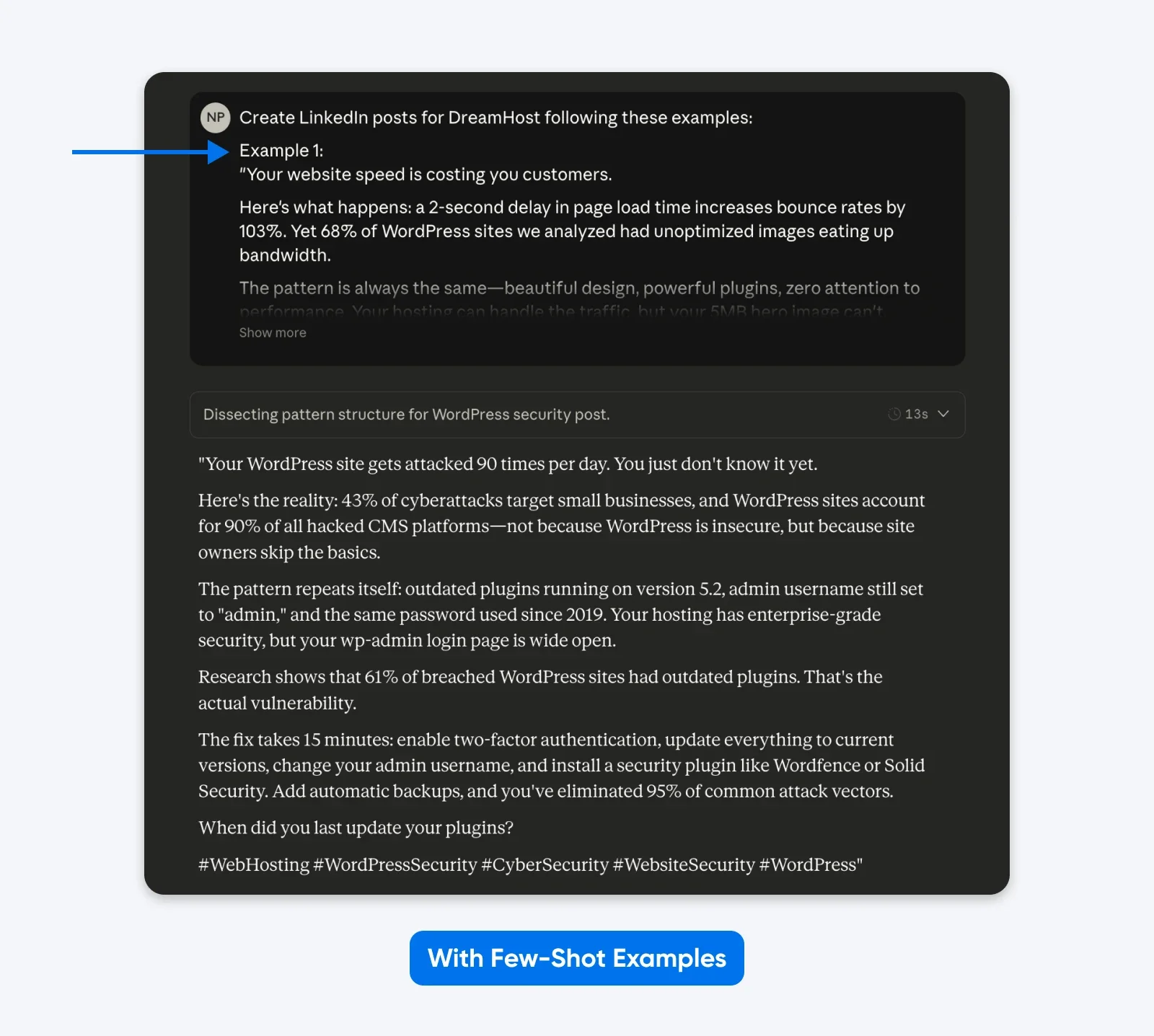
This output sticks more closely to the examples I’ve provided in the prompt. You can use the few-shot examples method to get LinkedIn posts like your best-performing ones. An academic paper on Finite State Machine (FSM) design showed structured examples achieved 90% success rate compared to instructions without examples.
How to Implement:
- Wrap examples in <example> tags, grouped in <examples> tags
- Place examples early in the first user message
- Use 3-5 diverse examples for complex tasks
- Match every detail in examples to desired output (Claude 4.x replicates naming conventions, code style, formatting, punctuation)
- Avoid redundant examples
When Examples Work Best:
- Data formatting requiring precise structure
- Complex coding patterns needing specific approaches
- Analytical tasks demonstrating reasoning methods
- Output requiring consistent style and conventions
When to Skip: Simple queries where instructions suffice, or when you want Claude to use its own judgment.
Effectiveness rating: 10/10 for formatting tasks, 6/10 for simple queries.
5. Put Context Before Your Question
Claude has a 200,000-token context window (up to 1 million in some cases) and can understand queries placed anywhere in the context. But Anthropic’s documentation recommends placing long documents (20,000+ tokens) at the top of prompts, before queries.
Testing showed this improves response quality by up to 30% compared to query-first ordering, especially with complex, multi-document inputs.
Why? Claude’s attention mechanisms weight content toward the end of prompts higher. Placing the question after context lets the model reference earlier material while generating responses..
Before (query-first):
Analyze the quarterly financial performance and identify key trends.
[20,000 tokens of financial data]
After (context-first):
[20,000 tokens of financial data]
Based on the quarterly financial data provided above, analyze performance and identify key trends in revenue growth, margin expansion, and operating efficiency. Focus on actionable insights for executive decision-making.
When this matters: Long-context analysis where Claude needs to reference earlier material extensively.
When to Skip: Short prompts under 5,000 tokens.
Effectiveness rating: 8/10 for long-context tasks, 4/10 for short prompts.
What Prompting Techniques Don’t Work Anymore: Busting Common Myths
Claude 4.5’s changes invalidated several popular techniques that worked with earlier models.
1. Emphasis Words (ALL CAPS, “MUST,” “ALWAYS”)
Writing in all caps no longer guarantees compliance. Chris Tyson’s analysis found Claude now prioritizes context and logic over emphasis.
If you write “NEVER fabricate data” but the context implies you need an estimate, Claude 4.5 prioritizes the logical need over your capitalized command.
Use conditional logic instead:
- Bad: ALWAYS use exact numbers!
- Good: If verified data is available, use precise figures. If not, provide ranges and label them as estimates.
2. Manual Chain-of-Thought Instructions
Telling the model to “think step-by-step” wastes tokens when using Extended Thinking mode.
When you enable Extended Thinking, the model manages its own reasoning budget. Adding your own “step-by-step” instructions is redundant.
What to do instead:
Trust the tool. If you enable Extended Thinking, remove all instructions about how to think.
3. Negative Constraints (“Don’t Do X”)
Telling Claude exactly what not to do often backfires.
Research on “Pink Elephant” instructions shows that telling an advanced model not to think about something increases the likelihood it will focus on it.
Claude’s attention mechanism highlights the forbidden concept, keeping it active in the context window.
Instead, reframe every negative as a positive command:
- Bad: Do not write long, fluffy introductions. Don’t use words like “delve” or “tapestry.”
- Good: Start directly with the core argument. Use concise, punchy language.
How To Migrate Prompts From Claude 3.5 to Claude 4?
If you’re migrating from Claude 3.5 to 4.5, you can migrate your prompt library by following five systematic steps validated by developer experience.
We will use a common hosting scenario for this example. The goal is to generate a technical support response for a customer experiencing a “503 Service Unavailable” error on their WordPress site.
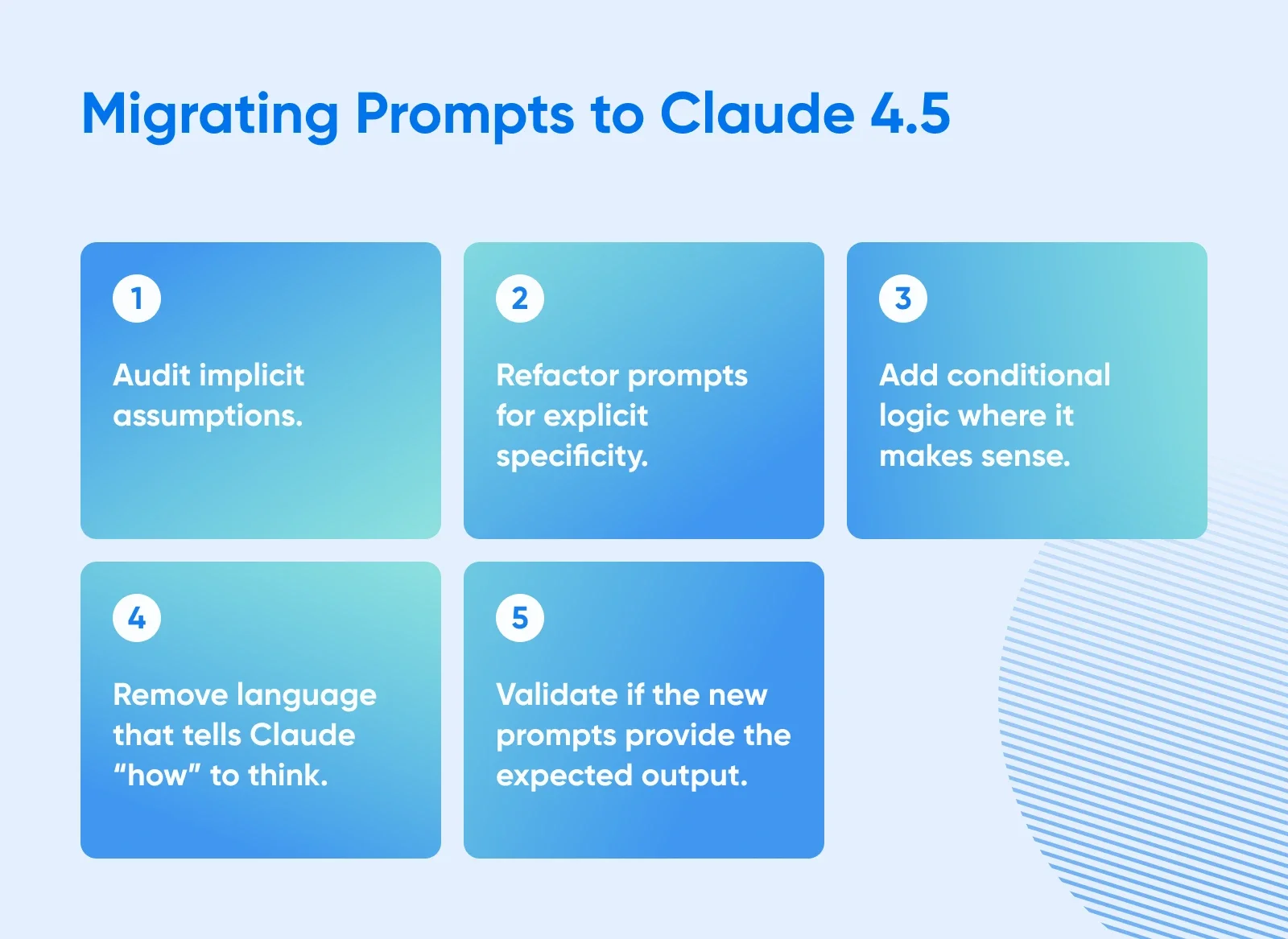
1. Audit Implicit Assumptions
Begin by identifying where the prompt relies on the model to guess the context. In older versions, the model would infer you were using the most common software stack. Claude 4.5 will not make that leap.
Legacy Prompt:
“My website is loading slowly and showing errors. You are an expert server administrator. Think step by step and tell me how to fix the configuration to make it faster.”
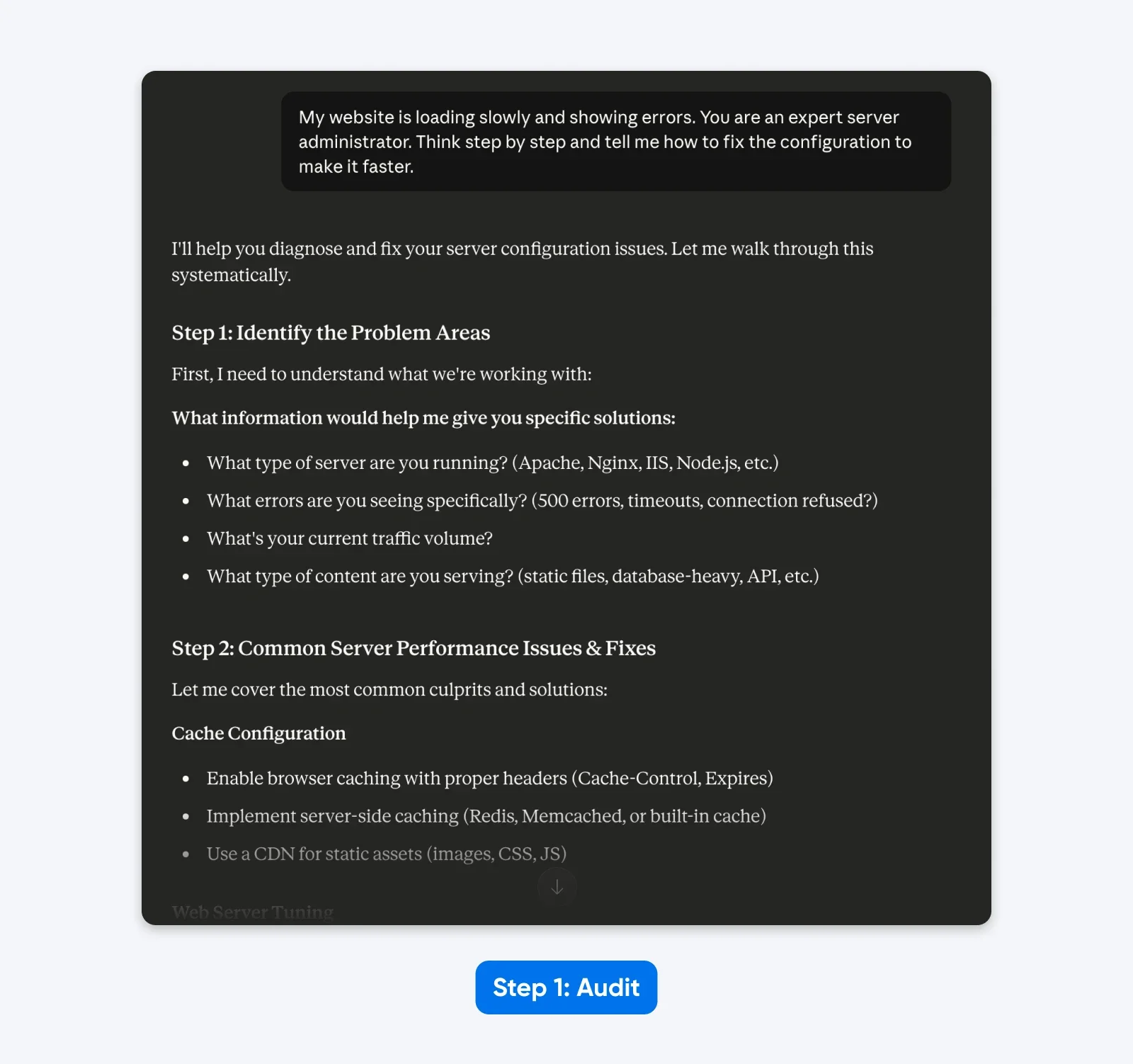
The Audit:
- “Website” implies a generic setup rather than a specific CMS (WordPress).
- “Slowly” is subjective; it could mean high Time to First Byte or slow asset rendering.
- “Errors” lacks the specific HTTP status codes needed for diagnosis.
- “Expert server administrator” and “Think step by step” are unnecessary steering instructions.
In the response, Claude 4.5 asks for more information as it’s trained to avoid making assumptions.
2. Refactor for Explicit Specificity
Now, rewrite the prompt to define the environment, the specific problem, and the desired output format. You must supply the technical details the model previously guessed.
Refactored Prompt:
“My WordPress site running on Nginx and Ubuntu 20.04 is experiencing high Time to First Byte (TTFB) and occasional 502 Bad Gateway errors. You are an expert server administrator. Think step by step and provide specific Nginx and PHP-FPM configuration changes to resolve these timeouts.”
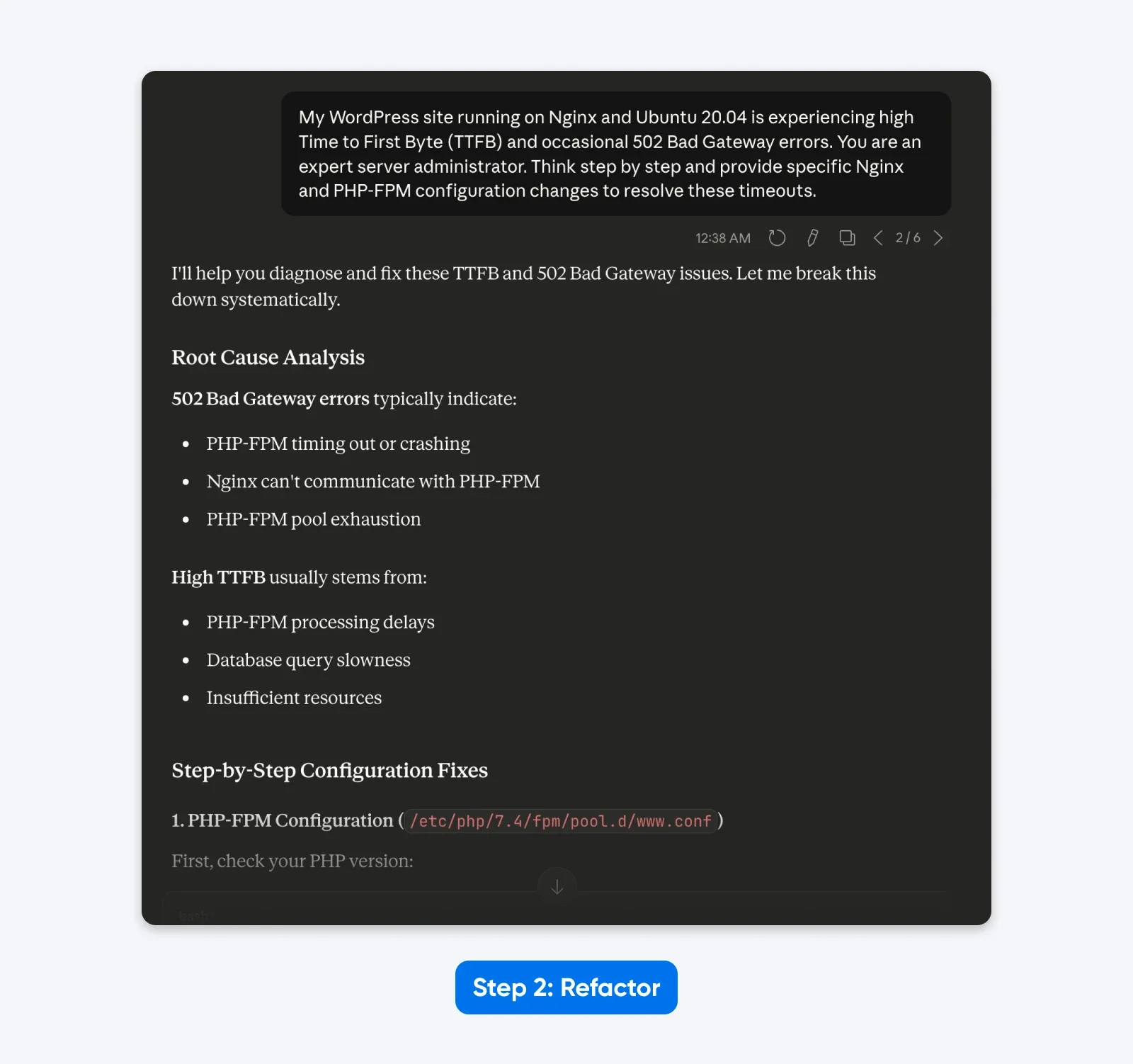
The Result: The prompt now specifies the exact software stack (Nginx, Ubuntu, WordPress) and the specific error (502 Bad Gateway), reducing the chance of irrelevant advice about Apache or IIS. And Claude responds with an analysis and a step-by-step solution.
3. Implement Conditional Logic
Claude 4.5 excels when given a decision tree. Instead of asking for a single static solution, instruct the model to handle different scenarios based on the data it analyzes.
Prompt with Logic:
“My WordPress site running on Nginx and Ubuntu 20.04 is experiencing high TTFB and 502 Bad Gateway errors. You are an expert server administrator. Think step by step.
If the error logs show ‘upstream sent too big header’, provide configuration changes for buffer sizes. If the error logs show ‘upstream timed out’, provide configuration changes for execution time limits.”
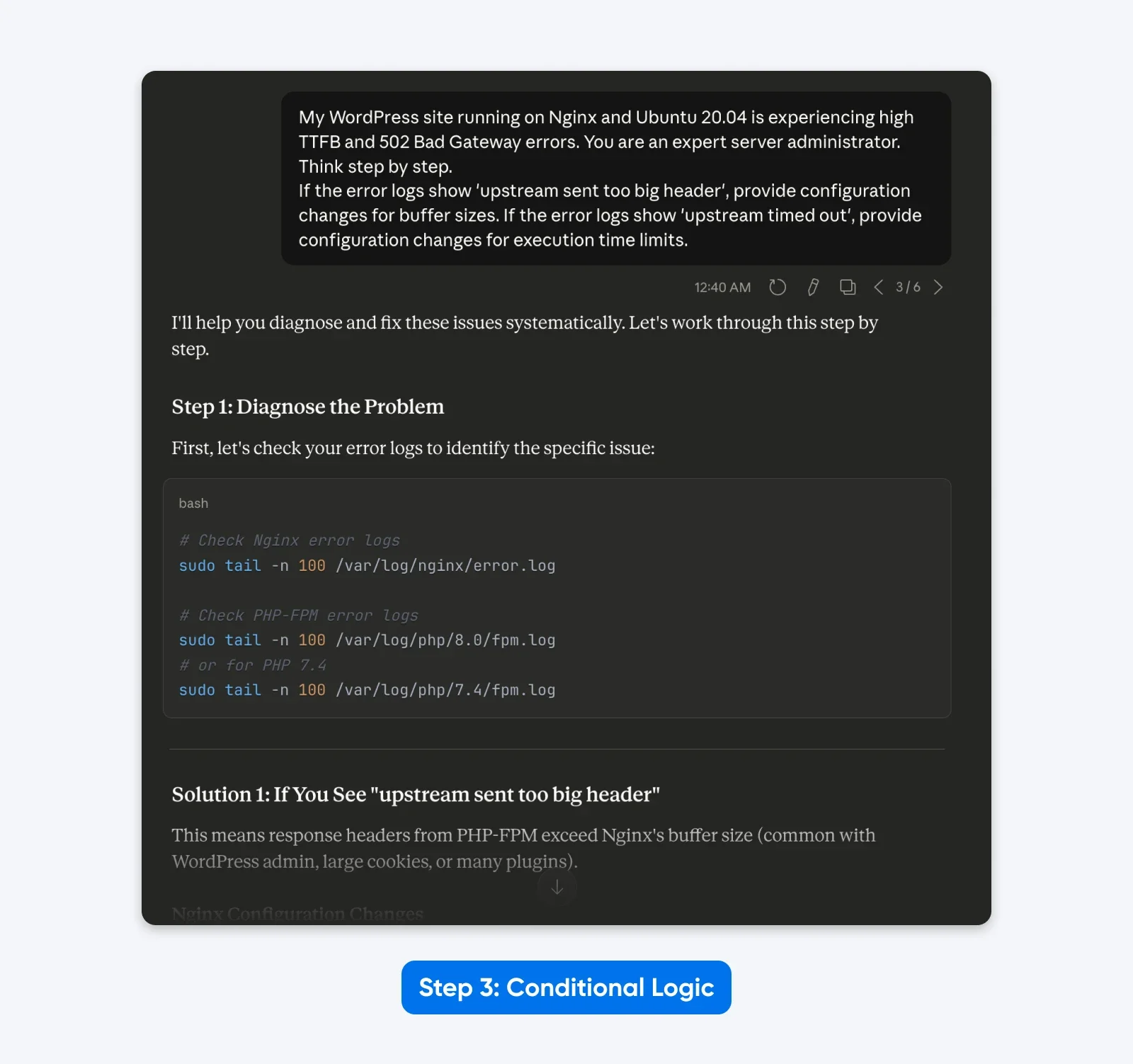
The Result: The output becomes dynamic. The model provides targeted solutions based on the specific root cause logic you defined, rather than a generic list of fixes.
4. Remove Outdated Steering Language
Legacy prompts often contain thinking instructions that users believed improved performance. These are unnecessary and redundant with Claude 4.5 as it has extended thinking.
Cleaned Prompt:
“My WordPress site running on Nginx and Ubuntu 20.04 is experiencing high TTFB and 502 Bad Gateway errors.
If the error logs show ‘upstream sent too big header’, provide configuration changes for buffer sizes. If the error logs show ‘upstream timed out’, provide configuration changes for execution time limits.”
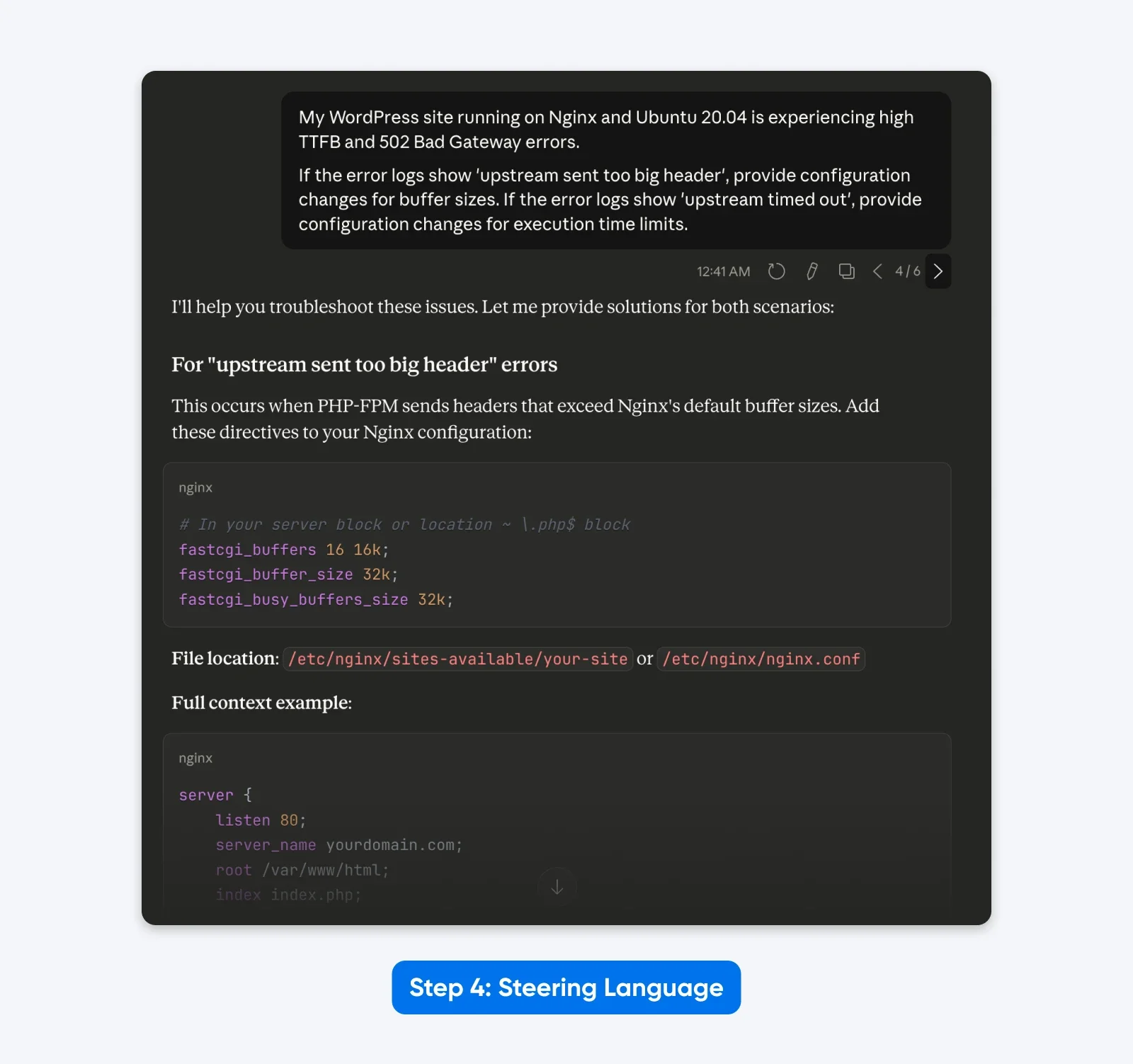
The Result: A leaner prompt that focuses purely on the technical task, removing the distraction of “You are an expert” and “Think step by step.”
5. Test Systematically
Assemble the components into a structured format using XML or clear headers. This matches the training data of the model and yields the most consistent results.
ROLE: Linux System Administrator specializing in Nginx and WordPress performance.
TASK: Resolve 502 Bad Gateway errors and reduce Time to First Byte (TTFB) for a WordPress site on Ubuntu 20.04.
LOGIC:
- If logs show 'upstream sent too big header', increase fastcgi_buffer_size and fastcgi_buffers.
- If logs show 'upstream timed out', increase fastcgi_read_timeout in nginx.conf and request_terminate_timeout in www.conf.
OUTPUT REQUIREMENTS:
- Provide exact configuration lines to change.
- Explain the impact of each change on server memory.
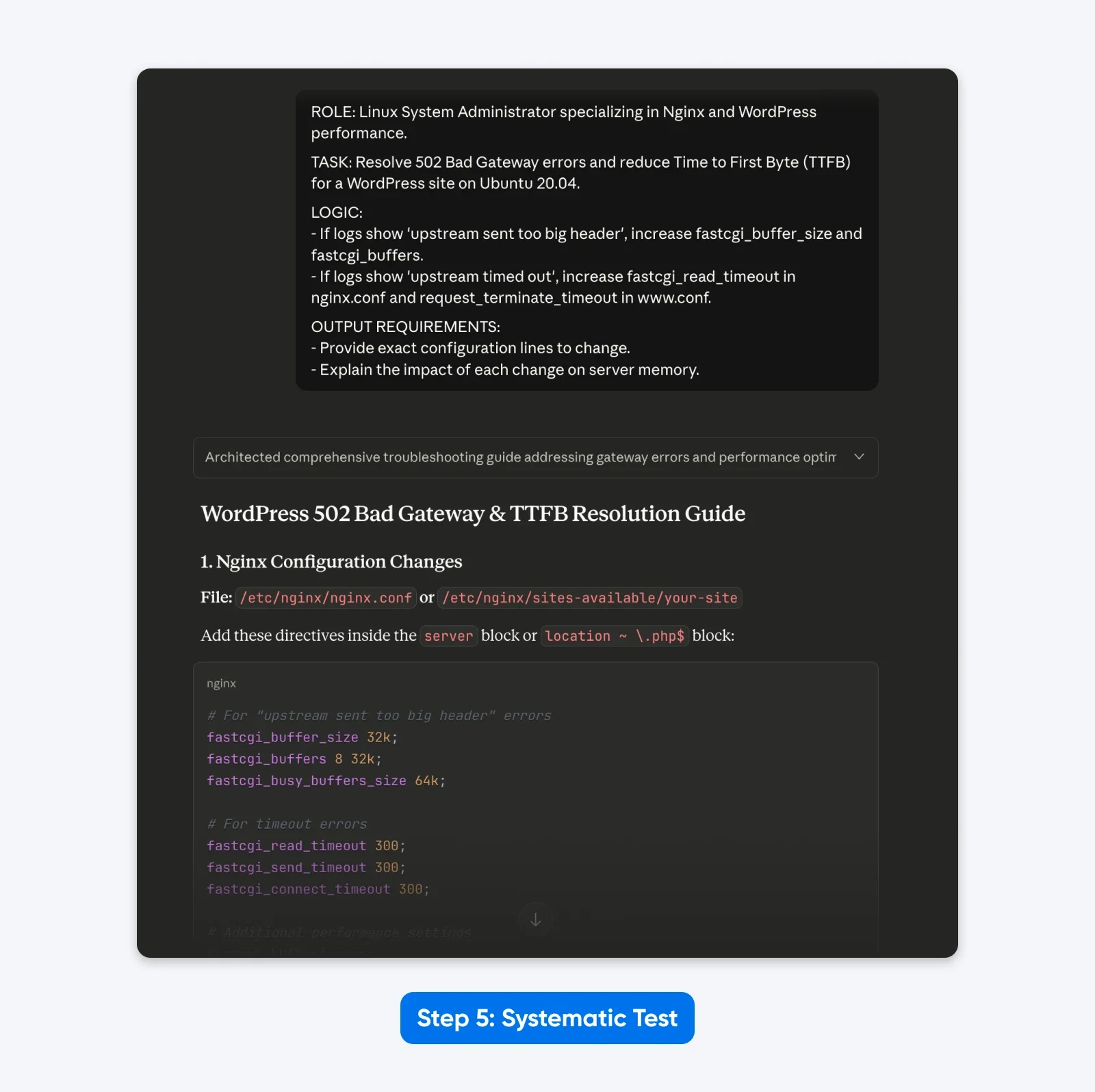
The Result: The response was more structured, allowed me to solve the problem with copy-pasteable config file data as requested and explained the solution better.
What This Means for Your Workflow
Claude 4.x models work differently from earlier models. They follow your exact instructions instead of assuming what you meant, which helps when you need consistent results. The effort you spend on prompt engineering in the beginning will pay off if you run the same task repeatedly.
Each technique in this guide has been cherry-picked because it aligns closely with how Claude 4.x was built. XML tags, Extended Thinking mode, explicit instructions, few-shot examples, and a context-first approach work because, based on Claude’s prompting guides and anecdotal evidence, that’s likely how Anthropic has trained the models.
So go ahead, pick one or two techniques from this guide and test them on your actual workflows. Measure what changes and what methods work in your favor. The best approach is the one backed by real data from your own day-to-day workflows.
Комментарии
Категории
Случайное

Не Linode единым: 10 лучших альтернатив
Выбираем лучший хостинг для WordPress:

VoIP-тарифы: новый фокус на Европу

Как настроить OpenClaw Browser Relay: